
OUTLOOK 账号 | 存放 1 个月 | 网页登录 | OAUTH2 TOKEN | 已开启 POP3、IMAP
4h4 小时质保4.2下降 30.1%已售 1.7k
库存 96514
0.75 元
- 高质量 Outlook 账号。
- 注册 1 个月。
- 可网页登录。
- 存活时间很长,可达一年或更久。
- 全新账号,未在任何地方使用,仅您可访问。
- 已激活 OAuth2,含 RefreshToken、ClientId。
- 已开启 POP3、IMAP。使用 OAuth2 访问 IMAP、POP3。
- 男性或女性。
账号格式:login:password:refresh_token:client_id
重要:如果在浏览器登录时提示添加辅助邮箱,直接打开:
https://outlook.live.com/mail/0/
由于您已登录,会直接进入邮箱。请在同一浏览器中打开该链接。
OAuth2 IMAP 读取邮件 Python 示例:
import base64
import imaplib
import poplib
import requests
def get_access_token(client_id, refresh_token):
data = {
'client_id': client_id,
'grant_type': 'refresh_token',
'refresh_token': refresh_token
}
ret = requests.post('https://login.live.com/oauth20_token.srf', data=data)
# Print the response content and access token
print(ret.text)
print(ret.json()['access_token'])
return ret.json()['access_token']
# Generate OAuth2 authentication string using the access token
def generate_auth_string(user, token):
auth_string = f"user={user}\1auth=Bearer {token}\1\1"
return auth_string
pop3_server = 'outlook.office365.com'
pop3_port = 995 # POP3 over SSL
def connect_pop3(email, access_token):
server = poplib.POP3_SSL(pop3_server, pop3_port)
# Authenticate using OAuth2
auth_string = generate_auth_string(email, access_token)
encoded_auth_string = base64.b64encode(auth_string.encode("utf-8")).decode("utf-8")
server._shortcmd(f'AUTH XOAUTH2')
server._shortcmd(f'{encoded_auth_string}')
# Retrieve the list of emails
num_messages = len(server.list()[1])
print(f"There are {num_messages} emails in the inbox.")
# Retrieve email content
for i in range(num_messages):
response, lines, octets = server.retr(i + 1)
msg_content = b"\n".join(lines).decode("utf-8")
print(f"Email {i + 1}:")
print(msg_content)
print("=" * 50)
def connect_imap(email, access_token):
mail = imaplib.IMAP4_SSL('outlook.office365.com')
# Print the generated authentication string
print(generate_auth_string(email, access_token))
mail.authenticate('XOAUTH2', lambda x: generate_auth_string(email, access_token))
mail.select("INBOX")
status, messages = mail.search(None, 'ALL')
print("Email IDs:", messages)
mail.logout()
# Set the email address and refresh token
client_id = 'CLIENT_ID_HERE'
email = "example@hotmail.com"
t = "YOUR_REFRESH_TOKEN_HERE"
# Get the access token using the refresh token
acc_token = get_access_token(client_id, t)
# Connect to the IMAP server and access emails
connect_imap(email, acc_token)
.
推荐商品
Outlook 账号
全新Outlook
290已售 2.7k
18.60 元/ 个
4.3
Outlook 账号
Outlook 注册年份 2020-2023,已锁定,易于解锁/恢复,4-6 年,仅用于 1 个服务。
473已售 3.3k
0.00 元/ 个
4.4
Outlook 账号
存放 1 个月 | 网页登录 | OAUTH2 TOKEN | 已开启 POP3、IMAP
10,000已售 4.4k
0.30 元/ 个
4.6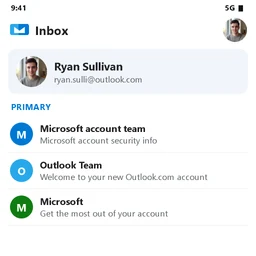
Outlook 账号
OUTLOOK 邮箱 - 混合 IP - 网页 - 2025 -
2,894已售 3.3k
1.35 元/ 个
4.3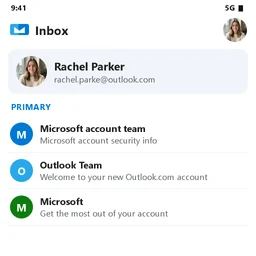
Outlook 账号
4年以上 | 含Refresh Token | 交付前已验证 ✅
800已售 2.5k
2.55 元/ 个
4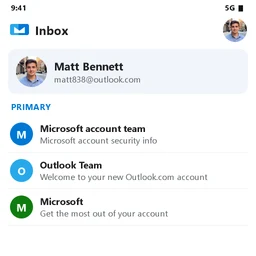
Outlook 账号
Outlook Mail(可批发购买)。网页登录,通过 Graph API / OAuth2(会话令牌)批量操作。有效期:12 个月。
6,637已售 1.5k
0.15 元/ 个
4.5最新评价
- ★★★★★2026/10/8
发货快,与描述一致。
- ★★★★★2026/10/12
结账顺畅,账号信息很快就到了。
- ★★★★★2026/10/11
账号质量不错,目前没有任何问题。
- ★★★★★2026/10/10
正是我项目需要的。