
Buy Old Outlook Accounts
5000 in stock
An Outlook mailbox registered at least a year before delivery, with its email and password. Most batches also carry an OAuth2 refresh token and client ID, or have POP3 or IMAP switched on. Replaced within 24 hours if it does not work as delivered.
Delivery format: email:password:refresh token:client ID
One mailbox per line on your order page. Batches with POP3 or IMAP on stop after the password; token batches add the refresh token and client ID. The separator and field order differ between batches, and the table further down shows how to tell the fields apart.
Sign in on the web at outlook.live.com with the email and password, or, where your line has them, let your tool connect with the refresh token and client ID, which never needs the password.
Old, counted in registration years
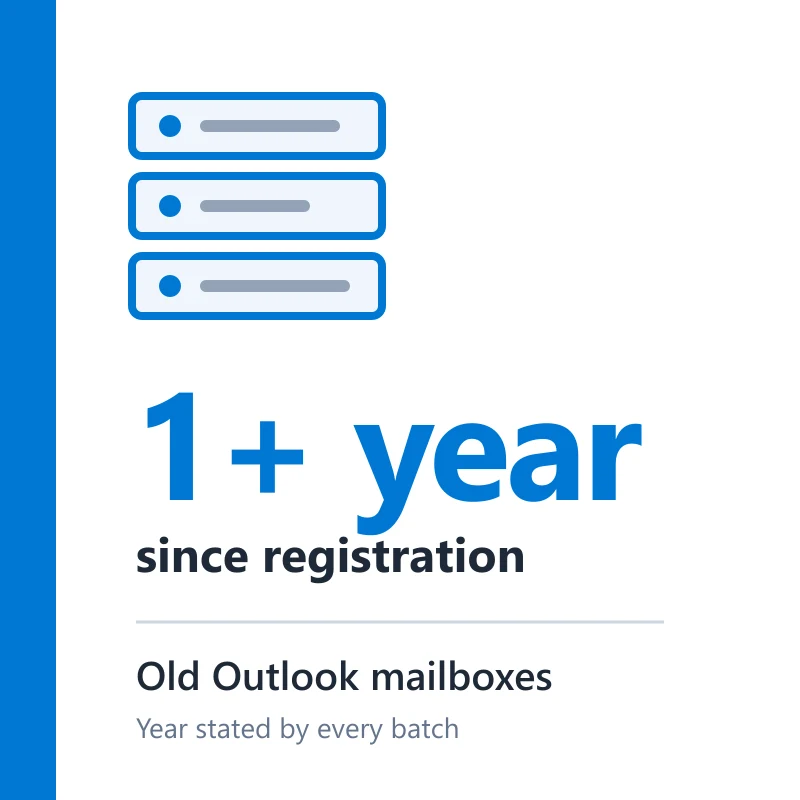
Outlook batches are sold by the year they were made: "Outlook 2022", "accounts from 2022", "2023 mail accounts". This listing takes a batch only when its stated year, or the last year of its range, sits at least a full calendar year back. So the youngest mailbox in your order is a year old. A batch that gives its age in days, or no year at all, never qualifies, which keeps out the week-old auto-registrations the catalogue also sells.
- Registered at least one year before delivery, year stated by the batch
- Recent batches are 2022 and 2023 registrations
- The email and its password on every account
- Most batches add a refresh token with client ID, or POP3 or IMAP switched on; neither is promised
Where the year comes from
Outlook shows no public join date. The year is the one the batch states, and the oldest mail in the inbox, where there is any, is a rough cross-check. Many old mailboxes sat empty until they were sold.
Mixed IP, mixed names
Several batches were registered from mixed IP addresses with mixed first names. Neither the country nor the name is chosen, and both can change from one order to the next.
What a few years of age do for a mailbox
A mailbox made last week has nothing behind it. Some services you sign up for look at how long an address has existed, and an address with no past is the one they question. A mailbox from 2022 has been around for years before your first message lands in it. That is the practical difference. It is not a pass, though: Microsoft can ask any mailbox to verify, and an old one that suddenly sends hundreds of messages is blocked like a new one.
- Suits a mailbox you will keep: a recovery address for another account, a long-running inbox, a contact address
- Suits sign-ups that look twice at addresses created this week
- Does not suit bulk sending: mass mail gets old and new mailboxes blocked alike
Token or POP3/IMAP: which you get
The listing is filled by age, not by access method. Batches with a refresh token and client ID suit tools that sign in through OAuth2; batches with POP3 or IMAP on suit a desktop mail client. If you need one of the two, the homepage catalogue lists batches by what they include.
Use it within the rules
An older mailbox does not change what Microsoft allows. No spam, no bulk sign-ups and no automated mass sending, on this account or any other.
Old Outlook next to a new auto-registration
The homepage catalogue also sells auto-registered Outlook mailboxes a week or so old. This is how the two compare.
| Point | This listing (1+ year) | New auto-registration |
|---|---|---|
| Registered | At least a year before delivery, year stated | Days or weeks before |
| Access for tools | Refresh token or POP3/IMAP on most batches | Stated on each listing |
| Suits | A mailbox you plan to keep using | Short tests and throwaway sign-ups |
Illustrative: based on the Outlook batches on sale on 2026-10-19. Microsoft can ask either kind to verify.
Telling the fields apart
Fields on a line are split by colons, semicolons or a vertical bar. Go by what each one looks like, since batches put them in different orders.
| Field | What it looks like | What it is for |
|---|---|---|
| Email and password | An address ending in @outlook.com or another Microsoft domain, then the password | Signing in at outlook.live.com, or in a mail client on POP3/IMAP batches |
| Refresh token | A very long string, often starting with M. and running to hundreds of characters | Letting a tool open the mailbox through OAuth2; keep it as private as the password |
| Client ID | A 36-character ID in five groups split by hyphens | Telling Microsoft which app the token belongs to; your tool needs it with the token |
Not every batch carries every field. The offer promises the email and password; a token or POP3/IMAP access comes with most batches as extra.
Common first sign-in problems
A prompt on the first sign-in from a new device is Microsoft being careful, not usually a fault. Mailboxes that do not work as delivered are replaced within 24 hours.
| What you see | What to do |
|---|---|
| Wrong password, or the mailbox is locked on arrival | Copy the fields again with no spaces around them. If it still fails, report it from the order page within 24 hours for a replacement. |
| Microsoft asks to verify with a phone number or a code | If it appears on the first sign-in with the details as delivered, take a screenshot and report it from the order page within 24 hours. |
| Your tool rejects the token | Check the client ID came from the same line as the token. A password change ends the token, so connect before changing anything. |
Report from the order page within 24 hours of delivery. The window covers mailboxes that fail as delivered, not changes made after you sign in.
Check each mailbox on arrival
This listing carries a 24-hour replacement window. These checks take a few minutes per mailbox.
- Sign in at outlook.live.com with the email and password from your order page.
- If your line has a refresh token and client ID, connect one mailbox in your tool and confirm the inbox opens.
- If your batch has POP3 or IMAP on, add the mailbox to your mail client and let it sign in with the email and password.
- Open the security settings, look over the recent sign-in activity, and keep the password somewhere only you can reach.
- If a mailbox will not open, or is locked on arrival, report it from the order page while the window is open.
Frequently asked questions
- Which year will my mailboxes be from?
- The year the batch filling your order states, always at least a year before delivery. Recent batches are 2022 and 2023 registrations. You cannot pick the year, and one batch fills the whole order.
- Will I get a refresh token?
- On most batches you get either a refresh token with its client ID, or POP3 or IMAP switched on. Neither is promised, because this listing is filled by age. If your tool needs the token, pick a listing in the homepage catalogue that names it.
- Microsoft asks for a phone number or a code. Is that covered?
- If it happens on the first sign-in with the details as delivered, yes: report it from the order page within 24 hours. A check that turns up later, after changes or heavy sending, falls outside the window.
- Is an old mailbox less likely to be blocked?
- Not reliably. Microsoft does not publish how it weighs age, and it blocks mailboxes of any age that send bulk mail. The year tells you when the account was made, and nothing more.
Recommended products
Outlook Accounts
1 MONTH AGED | WEB LOGIN | OAUTH2 TOKEN | POP3, IMAP ACTIVATED
$0.04/ account
Seller 4.5
Outlook Accounts
1 MONTH AGED | WEB LOGIN | OAUTH2 TOKEN | POP3, IMAP ACTIVATED
$0.10/ account
Seller 4.0
Outlook Accounts
Used in 1 Service Only
$0.00/ account
Seller 4.7
Outlook Accounts
Aged 4+ Years | Refresh Token | Verified Before Delivery
$0.34/ account
Seller 3.9
Outlook Accounts
SMS Verified | OAuth2 Activated, Token Included
$0.50/ account
Seller 4.0
Outlook Accounts
Mail.ReadWrite | OAuth2 Token | High Quality
$0.04/ account
Seller 4.6Recent reviews
- ★★★★★10/17/2026
Fast delivery and worked as described.
- ★★★★★10/16/2026
Smooth checkout, account credentials arrived quickly.
- ★★★★★10/14/2026
Good quality account, no issues so far.
- ★★★★★10/18/2026
Exactly what I needed for my project.